My existing AppleScript from 3.x doesn't work in 4.0.1. Expected class name but found identifier on the word tunnel (after first) in: set tun to a reference to (first tunnel where name = (item 1 of argv))
This is breaking my workflow, so I plan to downgrade back to 3.x until I can get a working AppleScript setup with 4.x.
So will it still be possible to run things from command-line with parameters (specifically, the tunnel name) passed in? Because that's how my current stuff functions.
Also, I have 3 scripts: check connection status, connect, and disconnect. Will all of those be convertable?
I received your private message along with the three AppleScript scripts. Since these scripts don’t contain any sensitive information, I’m replying in this post so we can openly discuss how to migrate from AppleScript to Shortcuts.
The three AppleScript scripts are used for:
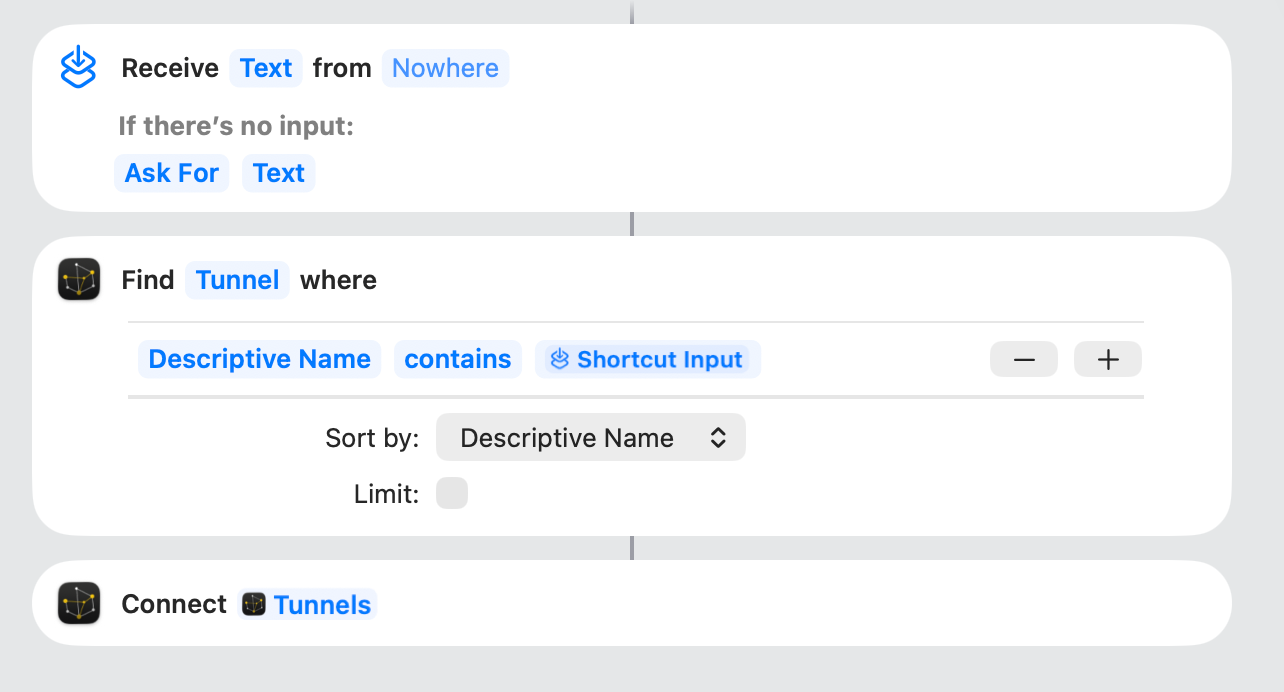
Connecting a tunnel
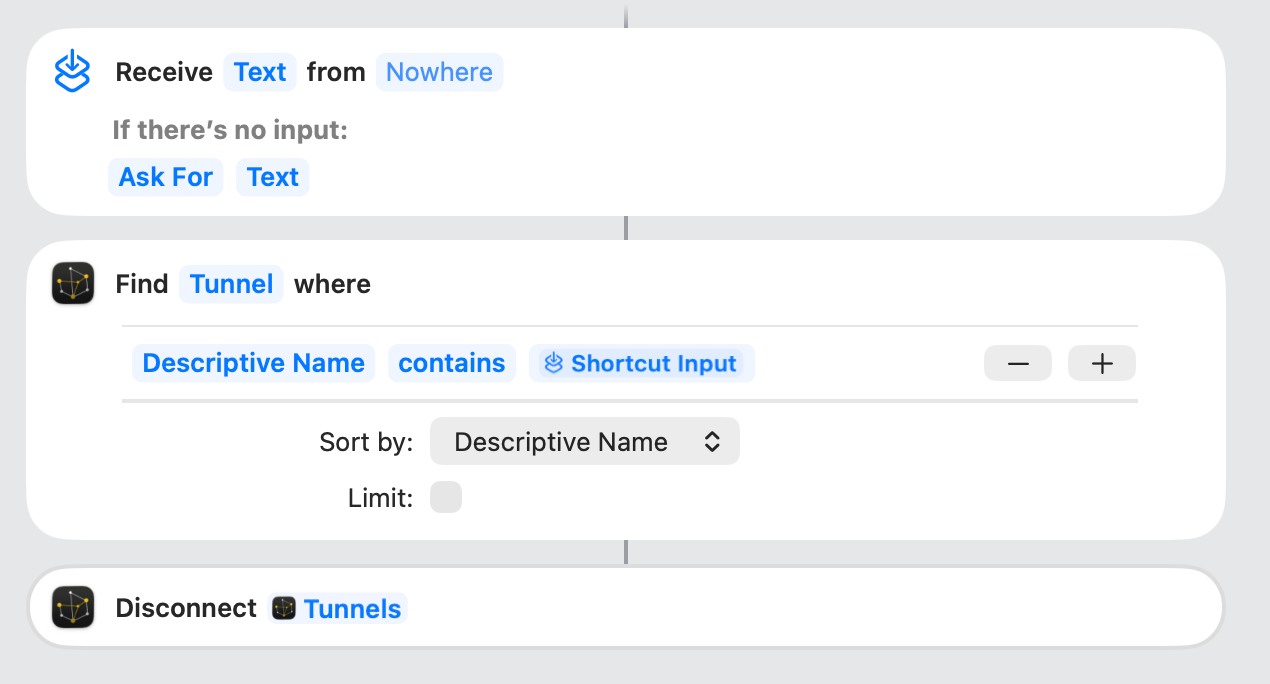
Disconnecting a tunnel
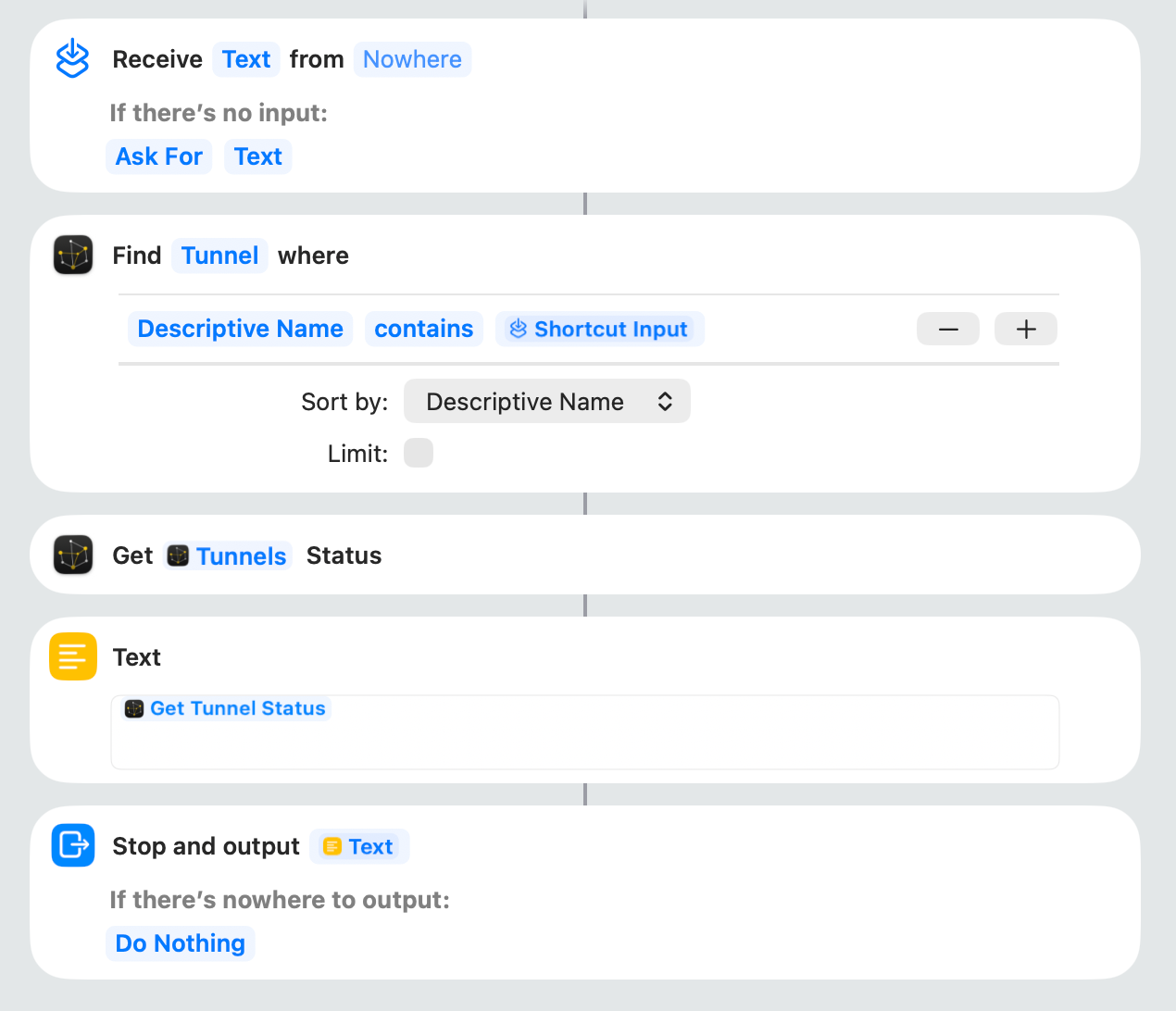
Checking the tunnel connection status
I created three corresponding Shortcuts and shared them here:
Running the shortcut brings the app to the front, which disrupts the focus. I have it in menubar-only mode, so it also ends up adding the icon to my dock. Ideally it would be able to run the shortuct without focusing the core tunnel app
When connecting/disconnecting, it doesn't wait for the tunnel to connect/disconnect before returning from the shortcut, which means if my script immediately tries to do something with the tunnel after connecting, it fails because the tunnel isn't ready yet. I've worked around this for now with a 1-second pause at the end of the connecting shortcut, but ideally it would wait for the connection to be established before returning.
Version 4.0.2 now executing connect and disconnect operations triggered from the Shortcuts app in the background.
You can use a timed loop to check the tunnel connection status, determine if it is successful, and return. Refer to the 3rd script for checking the tunnel status. Let me know if you need a complete boilerplate script.
Is there any chance of bringing back AppleScript support? I primarily used Core Tunnel through the Alfred workflow I created myself, but it’s now practically useless.